Quick Start
Requirements
- Windows 10/11, Linux x64, or an Android device.
- At least one reachable TTS backend: local, LAN-hosted, or cloud-hosted.
- Flutter is not required for normal use. Download a Release build instead.
1. Download a Release Build
Open Neiroha Releases and download the latest version. The current latest version is v0.3.1, released on 2026-05-30.
| Platform | File | Usage |
|---|---|---|
| Windows | neiroha-v0.3.1-windows-x64-release.zip | Extract it and run neiroha.exe. |
| Android | neiroha-v0.3.1-android-release.apk | Copy it to the device and install the APK. |
| Linux x64 | neiroha-v0.3.1-linux-x64-release.tar.gz | Extract it and run the executable in the bundle. |
SHA256 checksums are now written directly in the Release page under Checksums. Separate SHA256SUMS*.txt files are no longer provided.
See Install Release Builds for detailed installation steps.
2. Prepare a TTS Backend
Neiroha is a TTS workstation and middleware layer. It does not include large-model inference by itself. Prepare one backend before first use:
| Choice | Good For | Next Step |
|---|---|---|
| Local inference backend | Local GPU users, LAN inference servers, or workflows that keep text local | Connect Local Inference Backends |
| Cloud / free quota | Quick trials without local model deployment | Connect Cloud Inference Backends |
| Windows system voice | Workflow validation without AI voices | Use Windows System TTS in Providers |
Local backend Windows NVIDIA portable packages are available, mainly for RTX 30 / 40 / 50 series users. GPT-SoVITS, VoxCPM2, and CosyVoice3 can be downloaded as split archives from their own Release pages. If GitHub downloads are unstable, use the Baidu Netdisk mirrors in the Release body; see Windows Portable Backend Packages.
Choose a Route
| Goal | Recommended Route |
|---|---|
| Hear the first sample as fast as possible | Use Windows System TTS or a cloud free quota, then pass Quick Test. |
| Keep text local | Use a GPT-SoVITS, CosyVoice3, or VoxCPM2 local backend. |
| Test Chinese-English or multilingual output | Try Gemini, MiMo, CosyVoice3, or VoxCPM2 first, then keep the best provider. |
| Use reference-audio cloning | Use GPT-SoVITS, CosyVoice3, or VoxCPM2 and prepare clean short reference audio. |
| Batch novels, audiobooks, or subtitle dubbing | Prefer a local backend; cloud providers should use RPM, TPM, RPD, and low concurrency limits. |
| Serve scripts, games, or external tools | Create a voice bank, pass Quick Test, then enable the API Server. |
3. Configure a Provider
Open Providers. The left side lists providers, and the right side shows the selected provider form.
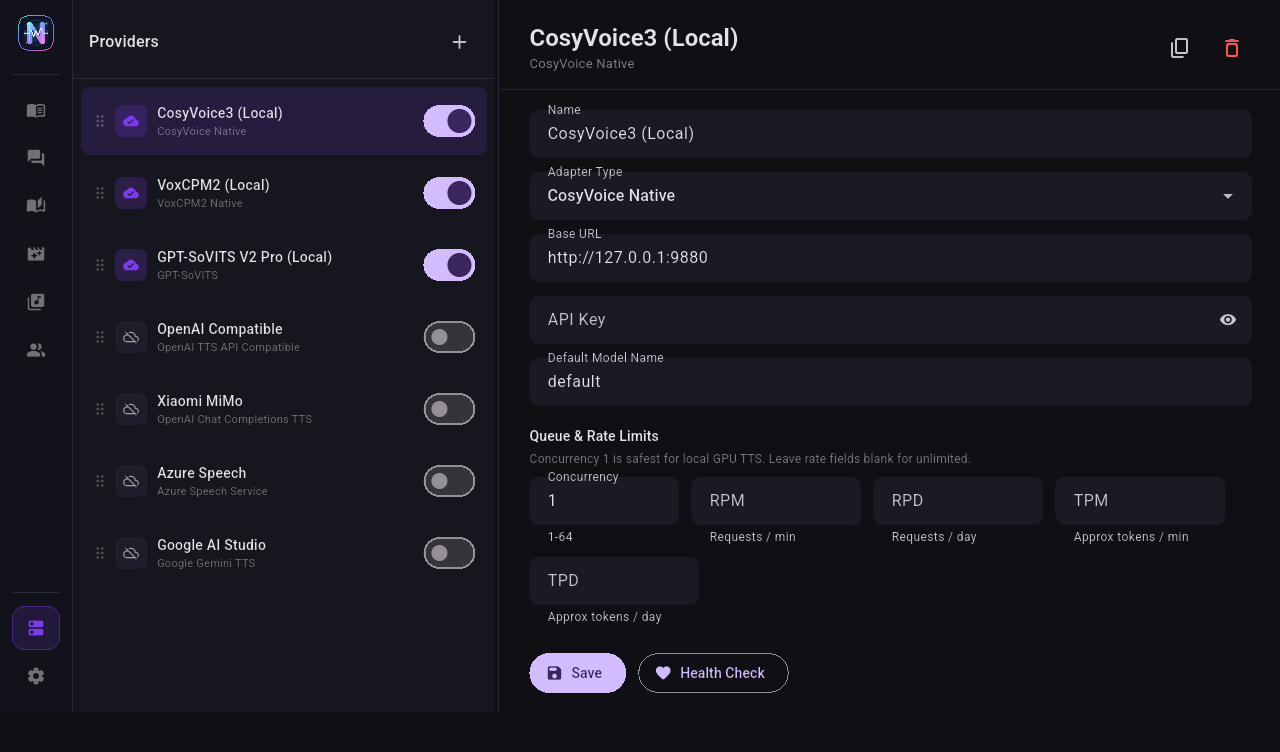
Basic flow:
- Click + at the top of the provider list.
- Select an adapter type.
- Fill
Base URL,API Key, and any required model name. - Click Fetch All to fetch models and voices.
- Enable the provider.
- Click Health Check.
For details, see Configure Providers.
4. Create a Voice Bank and Character
Open Voice Bank. Voice banks group characters, and later workflows select voices from the chosen bank.
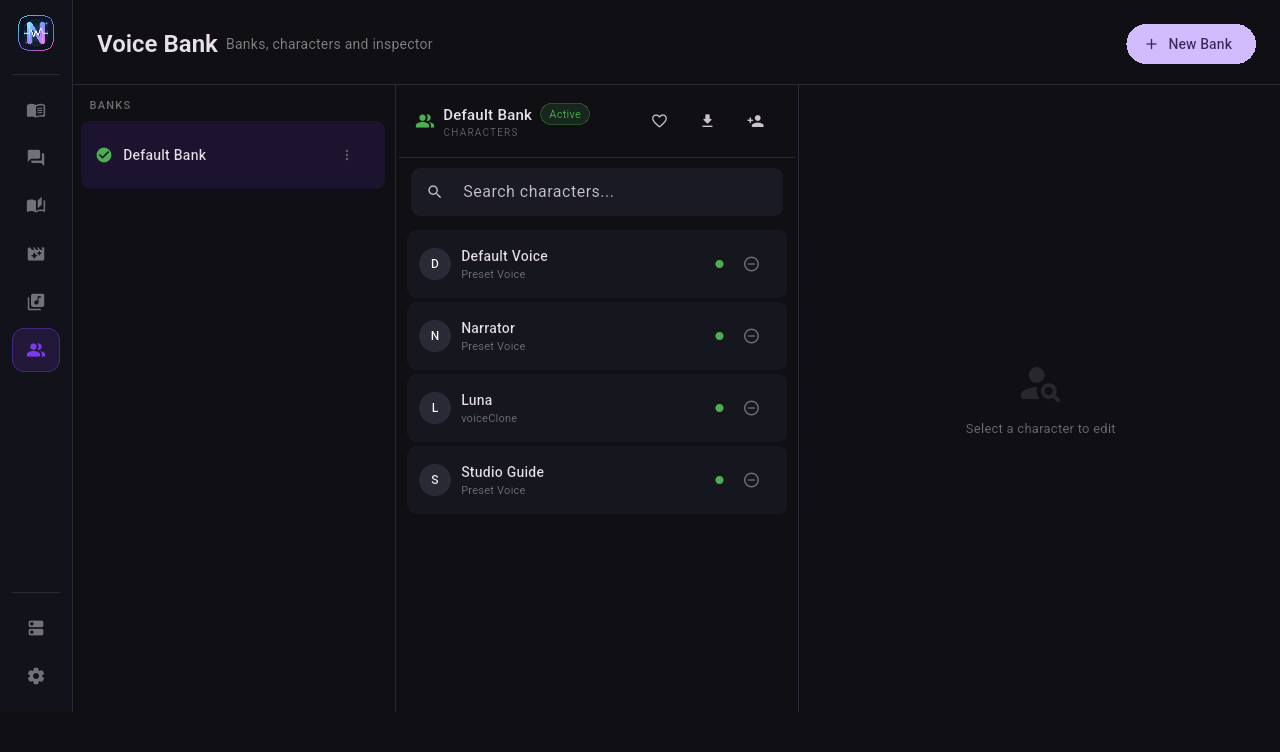
For first use, select Default Bank, then select Default Voice and check the provider, model, and voice binding on the right.
5. Run the First Quick Test
After selecting a character in Voice Bank, the Quick Test panel appears on the right.
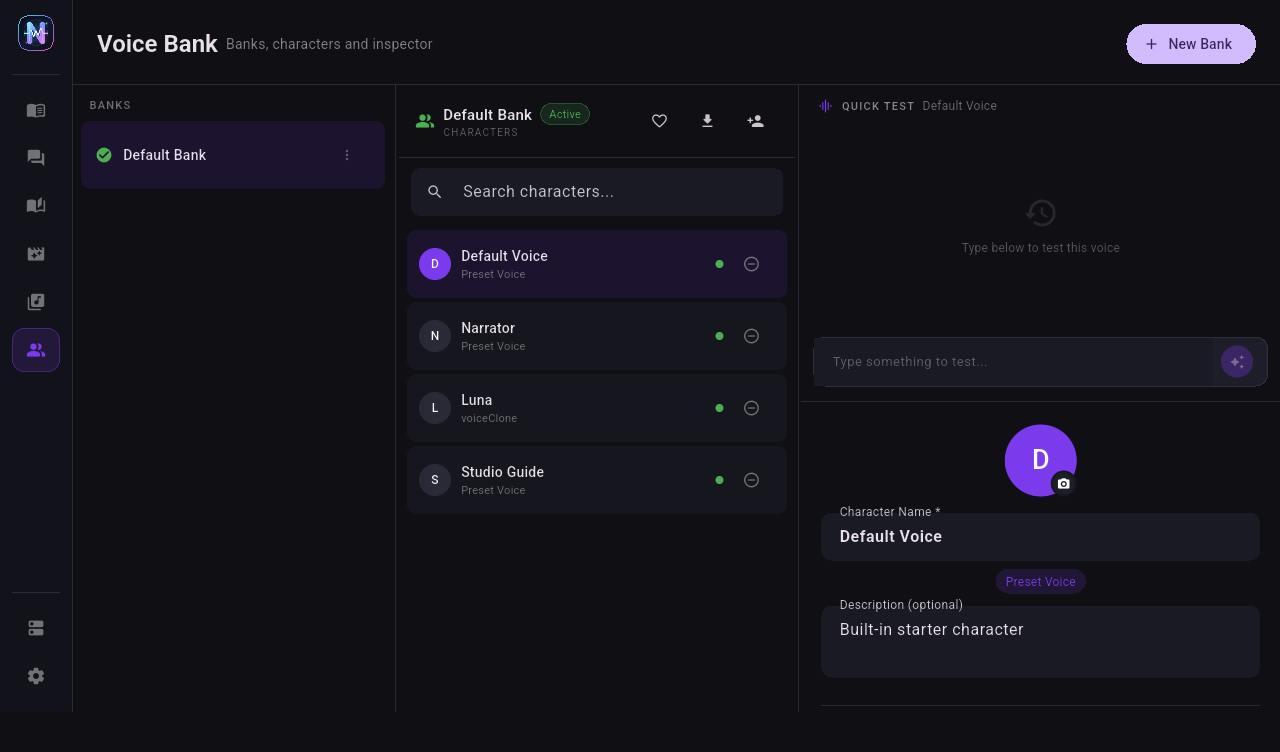
- Type one short test sentence.
- Click the purple generate button.
- If the provider is configured correctly, audio enters the shared TTS queue and plays automatically.
- Generated audio is stored in the voice asset directory and can later be managed by storage scans.
6. Next Steps
- Multi-character scripts: Dialogue TTS
- Long text / audiobooks: Phase TTS
- TXT novel reading: Novel Reader
- Subtitle dubbing: Video Dubbing
- OpenAI-compatible API for external tools: API Server