Phase TTS is designed for long narration, audiobooks, and scripts that need paragraph-by-paragraph handling.
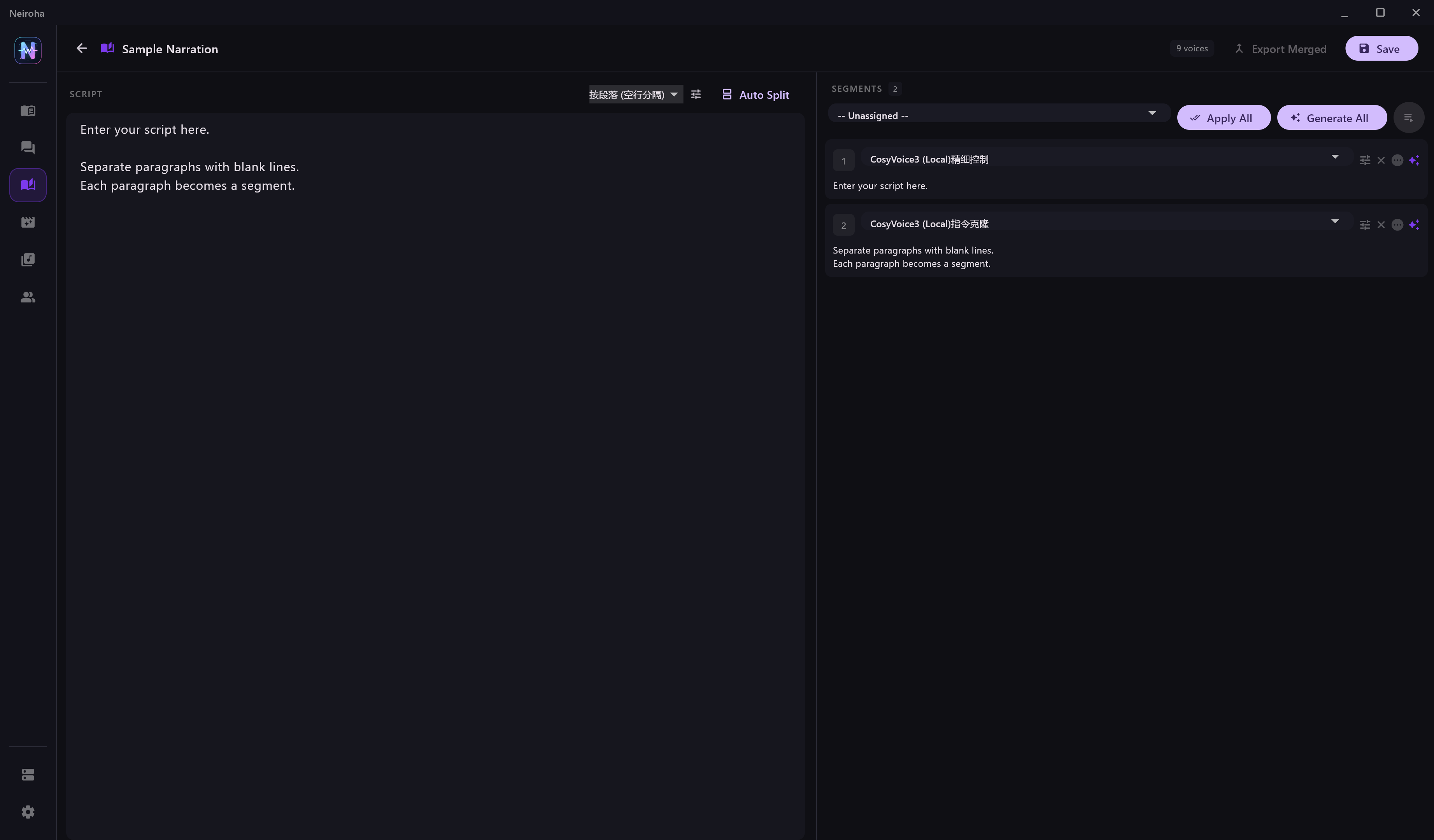
Suitable Text
| Text Type | Fit |
|---|
| Narration manuscript | Good fit; split by blank lines or paragraph boundaries. |
| Novel chapter with a small amount of dialogue | Good fit; split first, then assign characters manually. |
| Heavy multi-character dialogue | Prefer Dialogue TTS and clean speaker labels before import. |
| Very long book | Split by chapter and process one file or project at a time. |
Basic Flow
- Create a project.
- Select a voice bank.
- Paste the full script into the text box.
- Use Split to divide the script by blank lines or sentence boundaries.
- Review each phase and fix segments that are too long, too short, or incorrectly punctuated.
- Assign a character to each phase.
- Generate 1 to 3 phases for preview.
- Click Generate All for batch synthesis.
- Export or copy audio from the output directory shown in the status bar.
Split Recommendations
| Problem | Recommendation |
|---|
| Segment is too long | Insert blank lines manually to avoid cloud context or TPM limits. |
| Segment is too short | Merge pure interjections or punctuation-only fragments. |
| Frequent character switching | Split each spoken line separately for easier voice assignment. |
| Narration and dialogue mixed together | Separate narration phases from dialogue phases before assigning characters. |
Before Batch Generation
| Check | Reason |
|---|
| Provider concurrency | Cloud free tiers should use low concurrency. |
| RPD / TPM | Avoid triggering 429 errors with long text. |
| Character assignment | Phases without a voice cannot be generated. |
| Output directory | Confirm disk space and storage path. |
Character Assignment Tips
When long text contains several speakers, split it into readable short phases first, then manually assign each phase to a character from the selected voice bank.
| Situation | Handling |
|---|
| Mostly narration | Assign all phases to the narrator first, then adjust dialogue phases. |
| Speaker names appear before lines | Keep names as review hints, then decide whether to remove them before generation. |
| One character has large emotional variation | Duplicate the character and adjust voice instruction, speed, or reference audio. |
| Very long batch | Generate a small set first, confirm stability, then continue. |
Export Tips
- Create separate projects by chapter or scene for easier organization.
- Collect audio from the output directory after generation.
- If stable filenames matter, number phases inside the project before exporting or sorting files.