Quick TTS
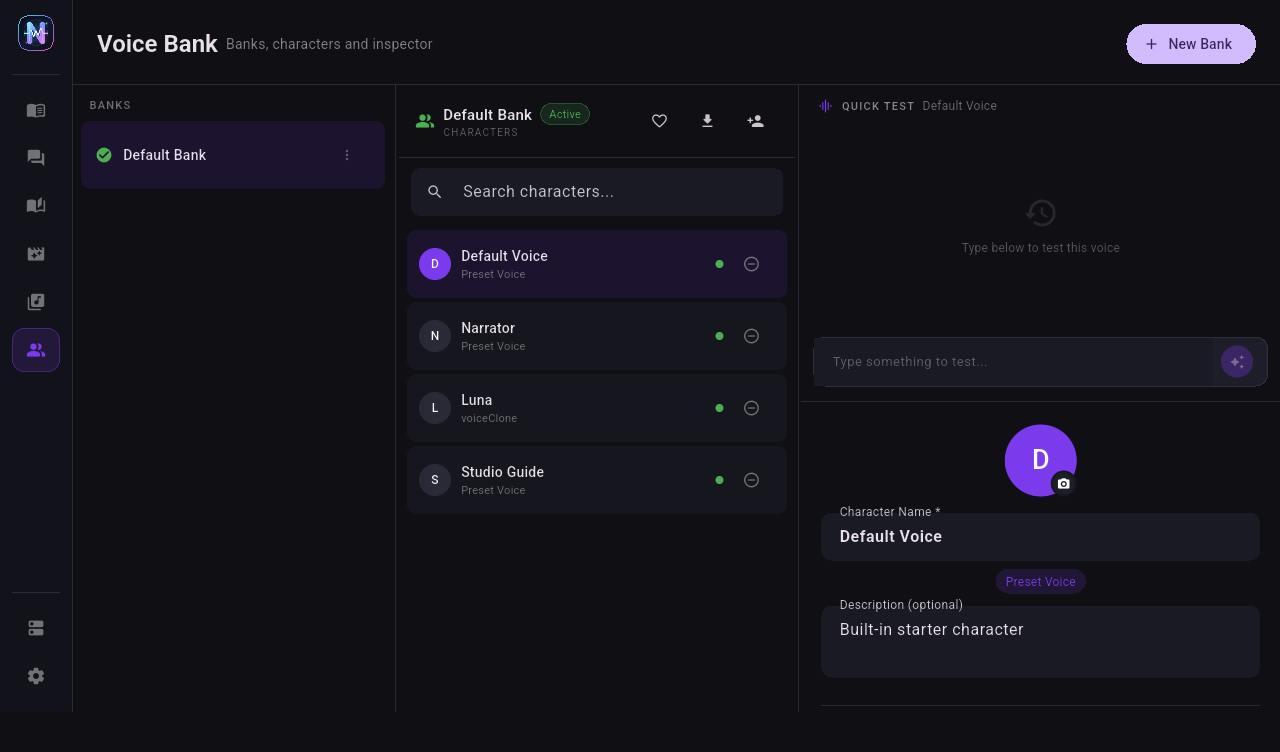
Quick TTS is for one-character checks and short audio generation. It appears in the Voice Bank character inspector and should be the first validation step after configuring a provider and character.
When to Use It
| Scenario | Purpose |
|---|---|
| New provider | Verify URL, API key, model, and voice with one sentence. |
| New character | Confirm the provider binding and task mode. |
| Voice design tuning | Compare voice instruction changes quickly. |
| Free quota testing | Avoid spending many requests through Dialogue or Phase batches. |
Basic Steps
- Select a voice bank.
- Select a character that is bound to a configured provider.
- Check the provider, model, voice, and task mode in the right panel.
- Type short text in the Quick Test input.
- Click the purple generate button.
- The synthesis job enters the shared TTS queue.
- When complete, the audio is saved to disk and played automatically.
First Test Sentence
Start with a short sentence instead of a long paragraph:
Hello, this is a short Neiroha voice test.
For multilingual or Chinese voices, use a short sentence in the target language. For Gemini or MiMo voice design, keep the synthesis text short and put style requirements in the character's voice instruction.
Output Archive
Quick TTS results are stored in the Quick TTS archive for reuse, cleanup, and storage scans. On Windows the default voice asset root is:
%APPDATA%\com.neiroha.neiroha\voice_asset\quick_tts\
The voice asset root can be changed from Settings -> Storage.
Troubleshooting Order
| Symptom | Check First |
|---|---|
| Fails immediately after click | The character must bind to an enabled provider. |
| 401 / 403 | Cloud API key, Azure region, or MiMo key is wrong. |
| 404 | Base URL may include or omit /v1 incorrectly. |
| 429 | Provider limit is too high, or the free quota has been reached. |
| Stays queued | Provider max concurrency is 0, or a previous job is blocking the queue. |
| Audio is generated but silent | Check system volume, audio format support, and player permission. |
After Quick TTS passes, continue to Dialogue TTS or Phase TTS.