Neiroha Wiki

Neiroha
AI audio middleware and dubbing workstation
Neiroha is a Flutter desktop application that connects one unified UI to local or cloud TTS backends. It brings voice characters, voice banks, long-form reading, dialogue dubbing, video dubbing, and an OpenAI-compatible HTTP API into one workflow.
Documentation Entry Points
Download a GitHub Release build, then configure your first local or cloud TTS backend.
Core WorkflowsProviders, voice characters, voice banks, quick synthesis, dialogue TTS, phase TTS, novel reading, and video dubbing.
API ServerLocal OpenAI-compatible HTTP service, authentication, CORS, rate limits, and request examples.
Automated BuildsGitHub Actions build outputs, release assets, debug artifacts, and checksums.
Feature Overview
| Module | What It Does |
|---|---|
| Providers | Connects TTS backends, including OpenAI-compatible services, Azure, GPT-SoVITS, CosyVoice, VoxCPM2, Gemini, and Windows system voices. |
| Voice Characters | Bind a provider, model, voice, speed, mode, and optional reference audio into a reusable character. |
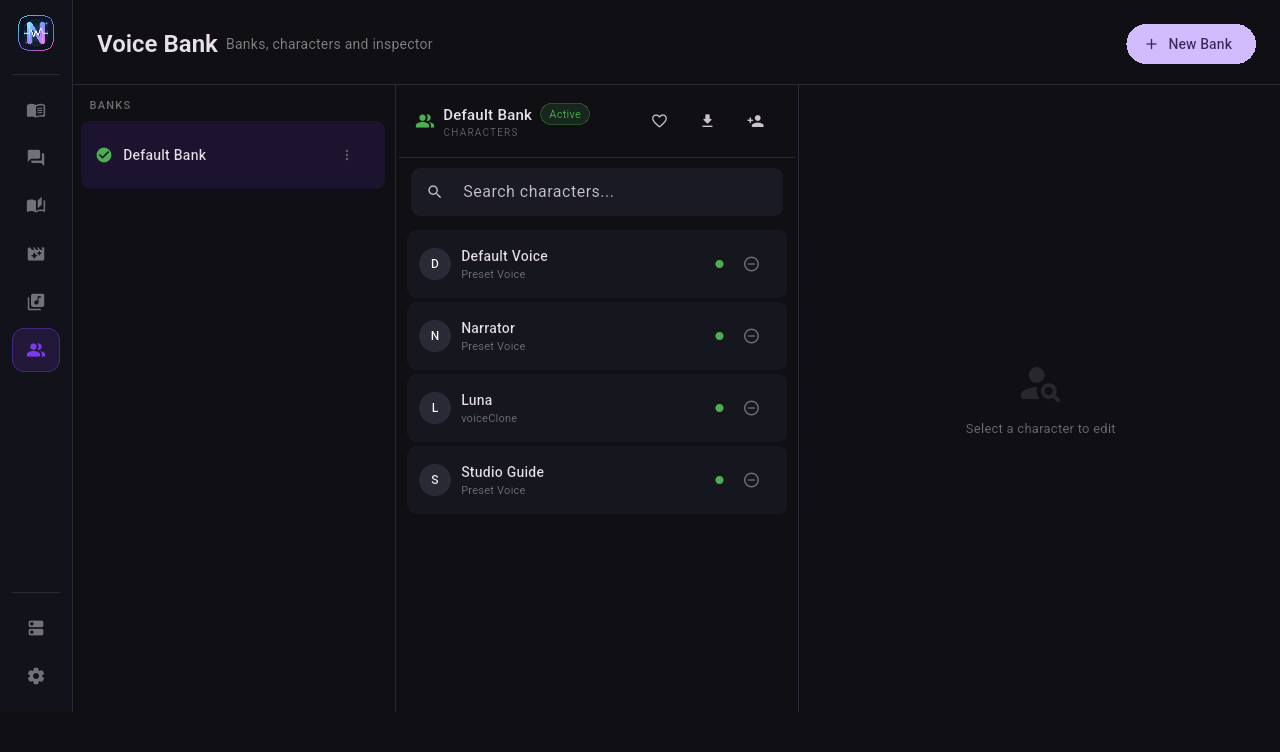
| Voice Banks | Group multiple characters and expose them to projects and the API model list. |
| Quick TTS | Single-character test synthesis; generated files are archived for later reuse and cleanup. |
| Dialogue TTS | Multi-character dialogue projects with chat-style lines and per-line audio. |
| Phase TTS | Long-form script splitting, per-segment character assignment, and batch synthesis. |
| Novel Reader | Import TXT files or folders, synthesize missing audio on demand, cache output, prefetch, and keep reading across screens. |
| Video Dubbing | Import video, audio, and subtitles, synthesize speech per cue, and export audio or dubbed video on desktop platforms. |
| Settings / Tasks | Inspect shared TTS queue state, provider limits, API logs, storage, and media tool configuration. |
| Local API | Expose an OpenAI-compatible TTS endpoint for scripts, games, DAWs, and other tools. |
Platform Scope
Neiroha treats platform support as concrete capability boundaries, not as a promise that every platform exposes identical native features.
| Capability | Windows | Linux | Android phones / tablets |
|---|---|---|---|
| Release build | ✓ | ✓ | ✓ |
| Main UI and project management | ✓ | ✓ | ✓ |
| Cloud TTS backend connection | ✓ | ✓ | ✓ |
| Same-device local inference backend connection | ✓ | ✓ | - |
| LAN-hosted local inference backend connection | ✓ | ✓ | ✓ |
| Windows SAPI system voice | ✓ | - | - |
| External FFmpeg CLI detection and invocation | ✓ | ✓ | - |
| Video dubbing export, muxing, trimming, and waveform extraction | ✓ | ✓ | - |
✓ means the capability is covered by current documentation and release builds. - means it is not currently promised or exposed in the UI.
System TTS currently uses Windows SAPI only. Android and Linux system TTS should only appear in the UI after native adapters exist.