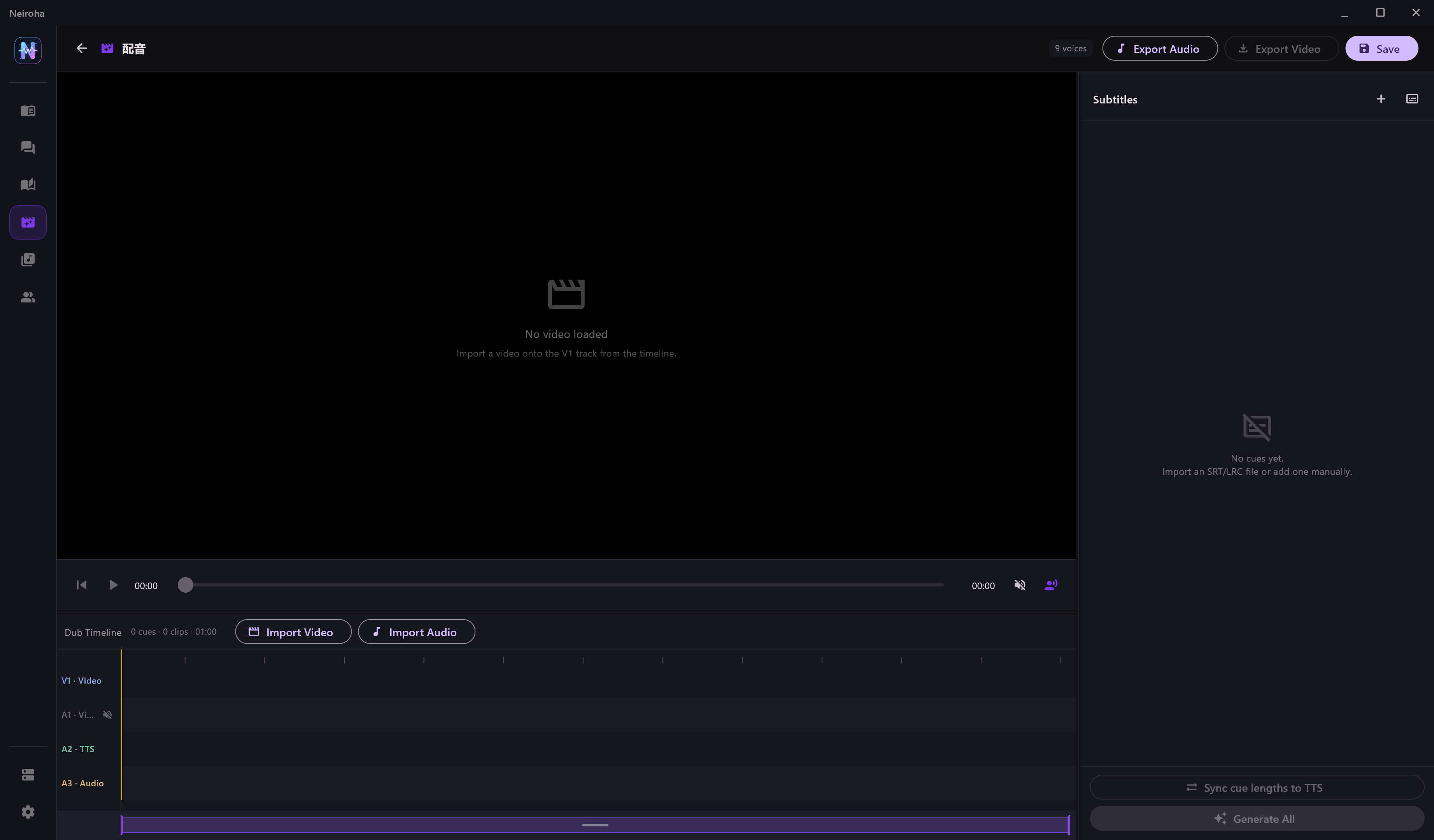
Video Dubbing covers the single-video workflow of subtitles to TTS to dubbed output. It is not a full video editor, but it handles the common production path for generated voiceover.
Suitable Tasks
| Task | Fit |
|---|
| Generate voiceover for short-video subtitles | Good fit. |
| Dub an existing SRT / LRC file | Good fit. |
| Fine editing, multi-track mixing, complex transitions | Use a professional video editor after generating audio. |
| Android local video export | Not currently supported. |
Basic Flow
- Create a project and select a voice bank.
- Import a video to V1; the original video audio is linked as A1.
- Import SRT or LRC subtitles.
- Generate TTS for subtitle cues.
- Move subtitle cues and imported audio on the lightweight timeline.
- Use the duration sync tool when generated speech needs to fit a subtitle time window.
- Export audio or a dubbed video using FFmpeg settings under Settings -> Media Tools.
Subtitle Import Tips
| Subtitle Shape | Recommendation |
|---|
| Each cue already contains final spoken text | Assign voices after import. |
| Cues are too long | Split them in a subtitle editor before import, or edit cue by cue after import. |
| Multiple characters | Assign a character to each cue after import. |
| Lip timing matters | Generate short lines first, then adjust timing with the duration sync tool. |
Before Generation
| Check | Reason |
|---|
| Project voice bank | Cue voice dropdowns come from this bank. |
| FFmpeg path | Windows and Linux export require external FFmpeg. |
| Provider limits | Subtitle projects can create many TTS requests. |
| A1 mute switch | Controls whether original video audio is kept during export. |
Video Dubbing depends on local FFmpeg:
| Capability | Windows | Linux | Android |
|---|
| External FFmpeg path or PATH detection | ✓ | ✓ | - |
| Local waveform extraction, trimming, mixing, and export | ✓ | ✓ | - |
Android keeps the UI and TTS-client workflow, but local FFmpeg muxing, trimming, waveform extraction, and video export are unavailable.
Recommended Production Order
- Import the video and subtitles.
- Generate TTS for only the first three cues.
- Preview playback and confirm voice, speed, subtitle window, and original-audio mute strategy.
- Batch-generate the remaining cues.
- Export audio first and inspect it in a video editor.
- Export the dubbed video after the audio checks pass.
Known Limits
| Limit | Handling |
|---|
| Complex editing and multi-track mixing | Generate voice audio in Neiroha, then finish in a professional editor. |
| Overlapping subtitle timings | Clean overlapping cues in a subtitle tool before import. |
| High-precision lip sync | Generate short lines and fine-tune audio positions in a video editor. |
| Android local export | Use Android for TTS-client work; export video on desktop. |